Motherboard Layout

Figure 5. Motherboard Image
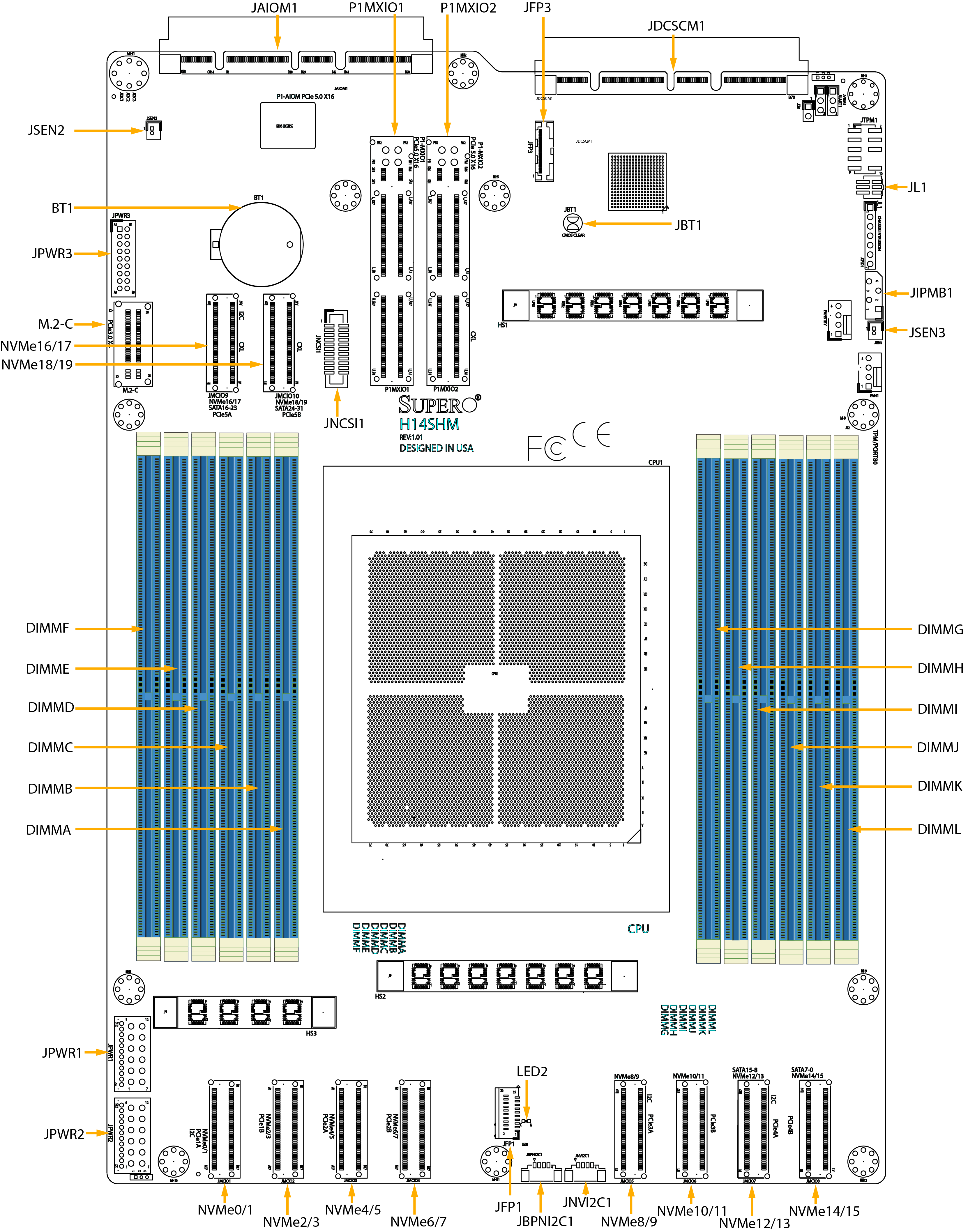
Figure 6. Motherboard Layout
Notes:
-
See Maintenance and Component Installation for detailed information on jumpers, connectors, and LED indicators.
-
"■" indicates the location of pin 1.
-
Components not documented are for internal testing-purposes only.
-
Use only the correct type of onboard CMOS battery as specified by the manufacturer. Do not install the onboard battery upside down to avoid possible explosion.