Control Panel
The following switches and LEDs are located on the AS -4126GS-NBR/NMR-LCC server control panel.
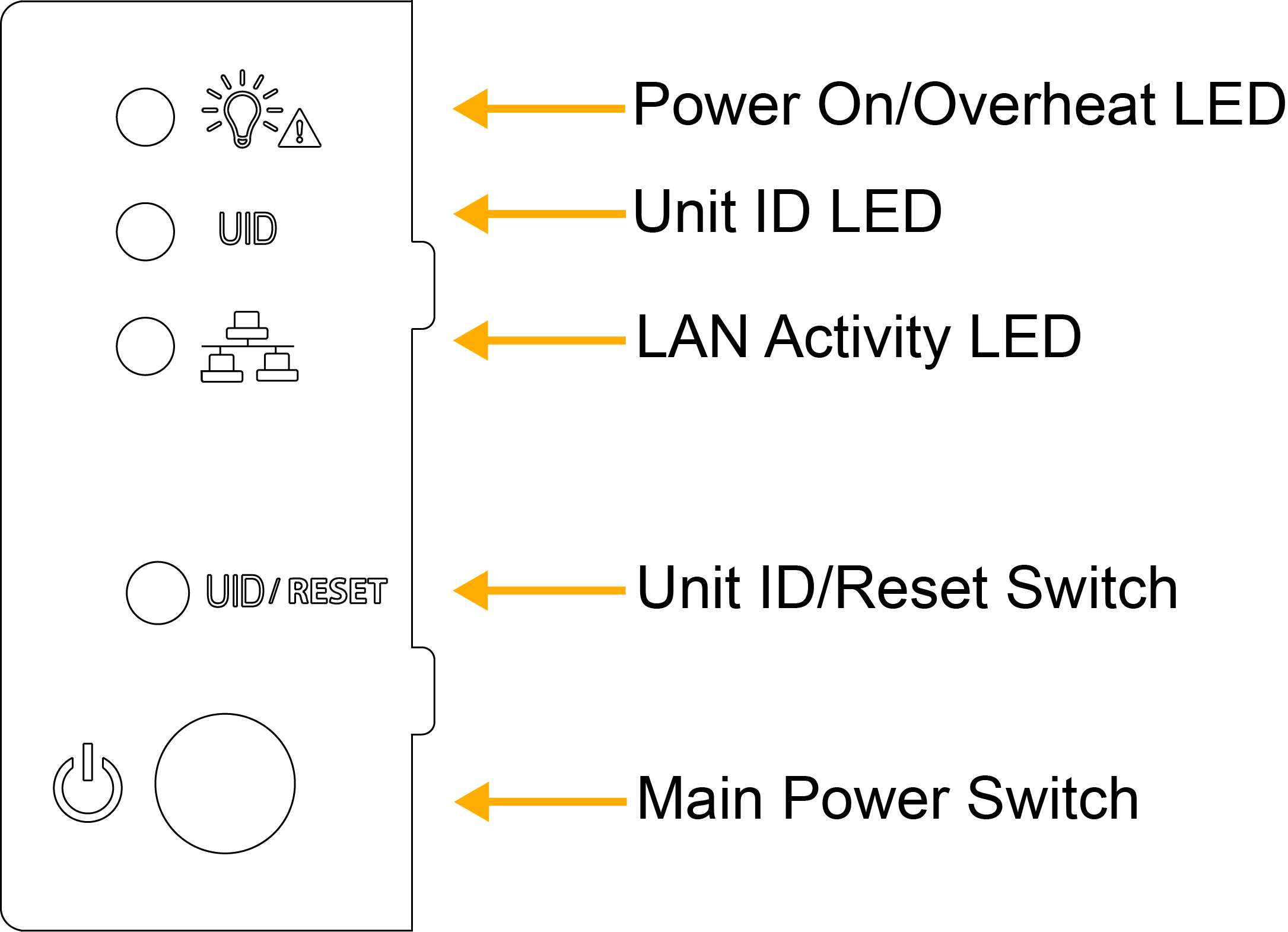
Figure 2. AS -4126GS-NBR/NMR-LCC Control Panel
|
Control Panel Features |
|
|---|---|
|
Feature |
Description |
|
Power On/Overheat LED |
This LED indicates that the power is on and the system is running. When blinking, this indicates that a system overheat event has been detected. |
|
Unit ID (UID) LED |
This LED is used to locate the server in large racks and server banks. |
|
LAN Activity LED |
This LED indicates network activity on the LAN when flashing. |
|
Unit ID/Reset Button |
This button, when pushed momentarily, turns on the Unit ID LED. If pushed and held down for 3 seconds, it will perform a hard reset on the system. All information not saved will be lost. |
|
Power Button |
This is the main power switch. Push this button to turn on the system. |