Accessing the System
The SYS-822GS-NBRTserver features a removable GPU and CPU tray, which allows easy access to the inside of the server.
Removing the GPU Tray
The GPU tray houses the system's GPUs. The GPU drawer may be removed from the chassis for maintenance.
-
There are two levers, one located directly on the left and right side of the GPU drawer. Pull these two levers down, as shown.
-
Use these levers to pull the drawer out from the chassis.
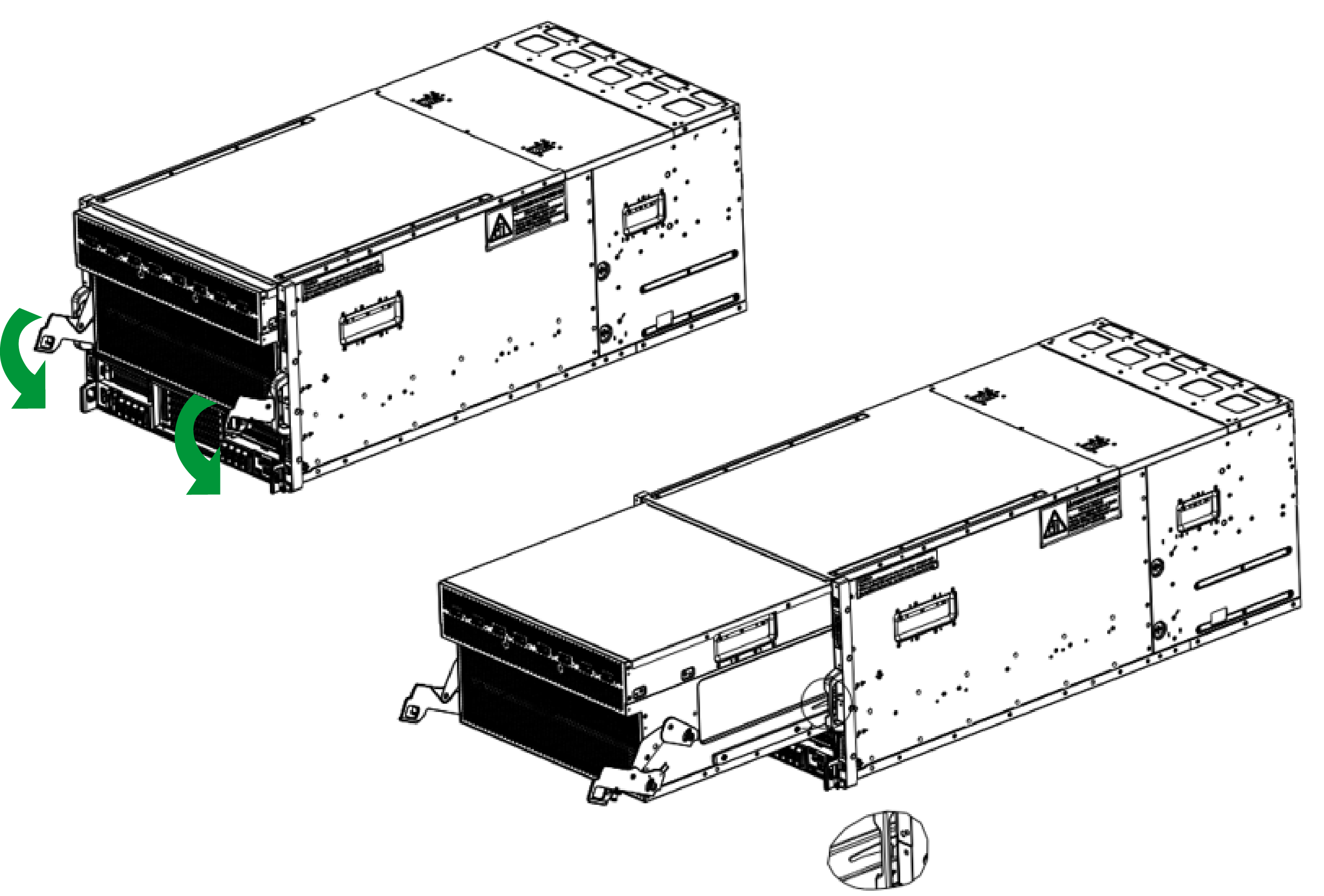
Figure 13. Removing the GPU Tray
Reinstalling the GPU Tray
-
To reinstall the GPU drawer, slide the tray into the chassis.
-
Push the levers back until they snap into place.
-
Secure each lever with a screw.
Removing the CPU Tray
The CPU drawer houses the system's motherboard, CPU and related components. The CPU drawer may be removed from the chassis for maintenance.
-
There are two levers, one located directly on the left and right side of the CPU drawer. Pull these two levers down, as shown.
-
Use these levers to pull the drawer out from the chassis

Figure 14. Removing the CPU Tray