Advanced Setup Configurations
Use the arrow keys to select the Advanced submenu and press <Enter> to access the submenu items.
Important: Use caution when changing the Advanced settings. An incorrect value, an improper DRAM frequency, or a wrong BIOS timing setting may cause the system to malfunction. When this occurs, revert the setting to the manufacture default settings.
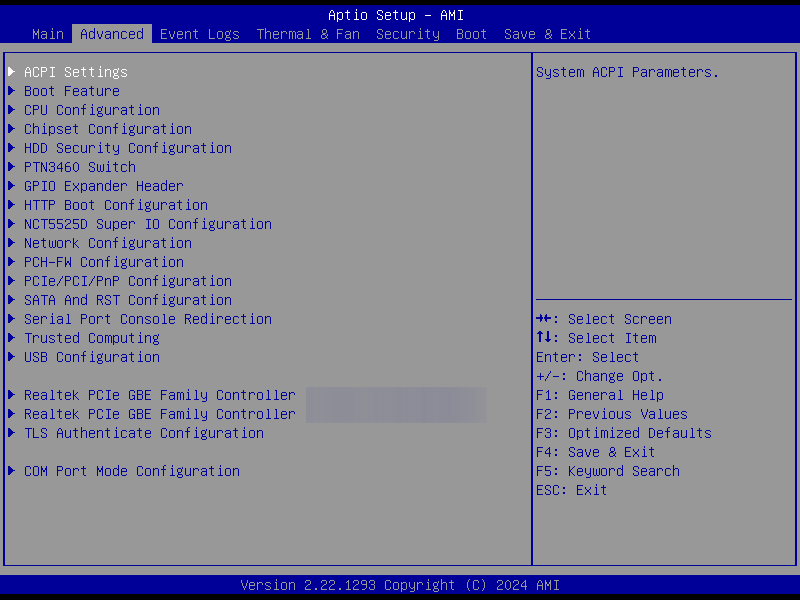
Figure 30. Advanced Setup Configurations