Our system based on X12SPT-G motherboard kept running into BSOD occasionally in Windows Server 2019 during the reboot. The STOP code is:
"KERNEL_SECURITY_CHECK_FAILURE"
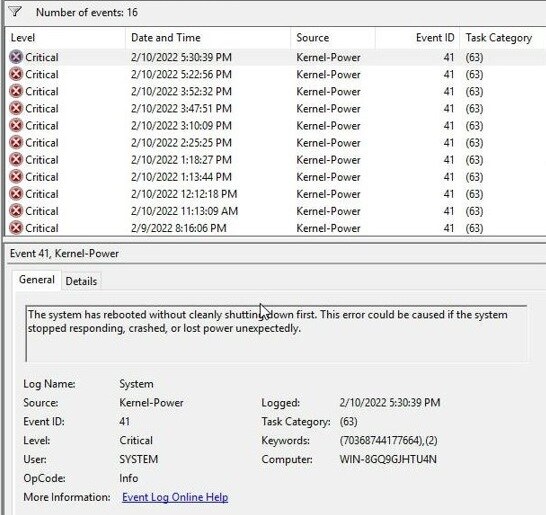
In Windows' Event Viewer, multiple Event 41, Kernel-Power, were also logged.
We also found below error event with Sensor Type "OS Stop/Shutdown" in BMC SEL:
"Runtime critical stop (a.k.a. core dump, blue screen) - Assertion"
Is there any suggestion to stop the random BSOD in Windows?
It's the RNDI driver compatibility issue with the Redfish Host Interface enabled in our Intel X12 Whitley platform.
Please run Windows Update to upgrade the drivers in your Windows, and make sure the RNDI driver (RNDISMP6.SYS) is version 10.0.17763.1369 or above. The RNDISMP6.SYS file can be found in C:\\Windows\System32\driver folder.



 Print
Print
 Share
Share